Terraform and Terrascan with AWS (Immersive Labs)
Immersive Labs

This post is going to cover my most recent lab "Secure Terraform for AWS". I wanted to present my personal approach on the lab and my experience in general. I'm going to try not to give away too much, just some hints and what to expect if you're considering purchasing licences or you're a learner considering which labs to do next.
For some time now I've been working through the Immersive Labs career pathways. My focus has been on Incident Response, Malicious File Analysis and Windows Malware, SIEM/Elastic and Event/Log Analysis. I've also completed a lot of the introductory labs that covers Security/Cyber Professional basics.
Having used some similar platforms like Hack the Box and the likes, I can say that the Immersive Labs are well designed with content that is thorough and excellent. If I find myself a bit lost at any point, I can easily flip to the guidance tab and after some perseverance manage to finish the labs with little frustration.
Terraform for AWS
A quick reminder of what Terraform does:
Terraform is an open-source tool developed by HashiCorp. Infrastructure is defined in a human-readable format in HashiCorp Language (HCL) or JSON which is processed by Terraform and then deployed into the appropriate target – typically cloud. It's a popular way for companies to manage their infrastructure as code (IaC) and can be used in conjunction with most existing cloud providers. In this lab, we take a look at Terraform in the context of AWS.
When you start the lab you'll get an overview of both Terraform and Terrascan. Make sure that you read through the information in order to become accustomed as to how they both work and integrate.
Episode 1
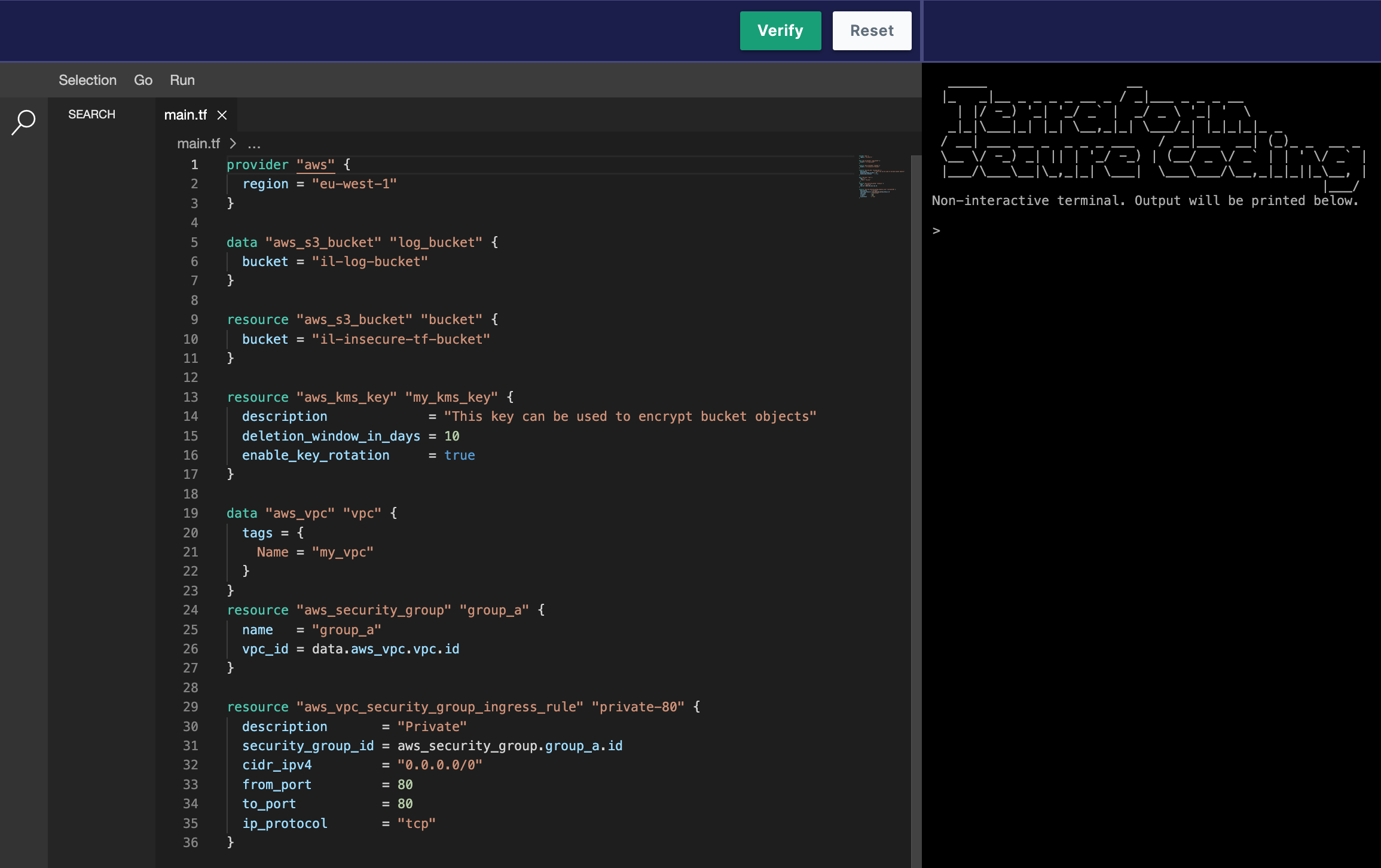
The first labs starts with a simple S3 bucket configuration with some missing scopes/resources. Your job is to make sure that the Terraform HCL passes the Terrascan expected configuration so that the bucket is secure and meets the following expectations:
- Server-side encryption should be enabled
- Public access should not be granted
- Buckets should be private
- Access logging should be enabled and configured to log to another bucket
- Objects should be owned by the bucket owner if they have been uploaded with the bucket-owner-full-control canned ACL

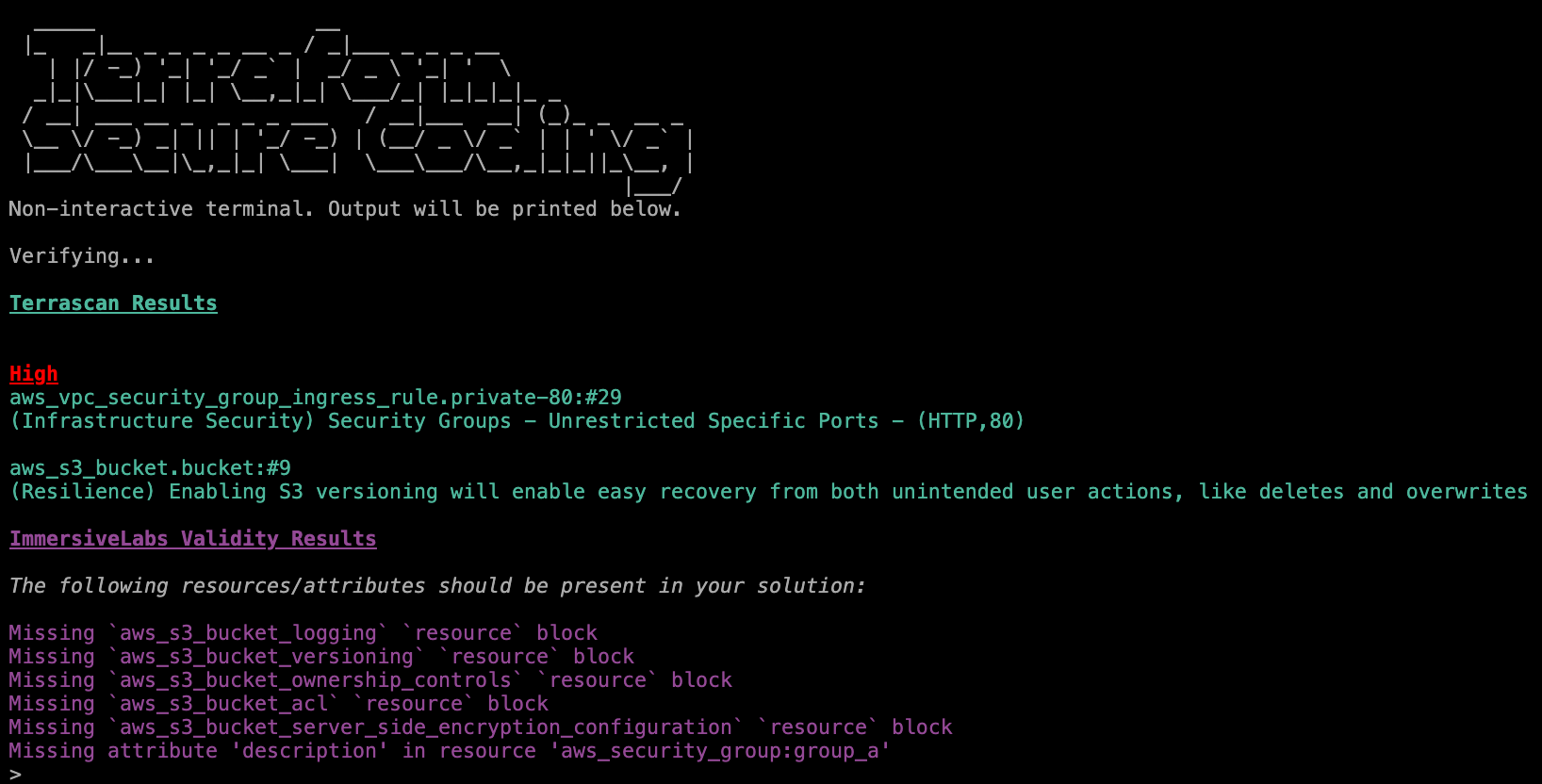
You're going to want to try a validate first in order to get feedback from Terrascan as to what's missing, unless you can tell off the bat and have previous experience in TF. The terminal response is really useful and I used the pointers to look at the official docs in order to work out which Key Value pair was needed.
Episode 2
Covers KMS keys which are cryptographic keys that can be used to encrypt and secure AWS resources. EBS is also covered in this session which is for scalable block storage and is used as the default when creating volumes for EC2.
As above, I went with the terminal feedback first, by running validate. This gave me the missing resources and configurations I needed to target. The Terraform documents are very clear, respect to Hashicorp for that.
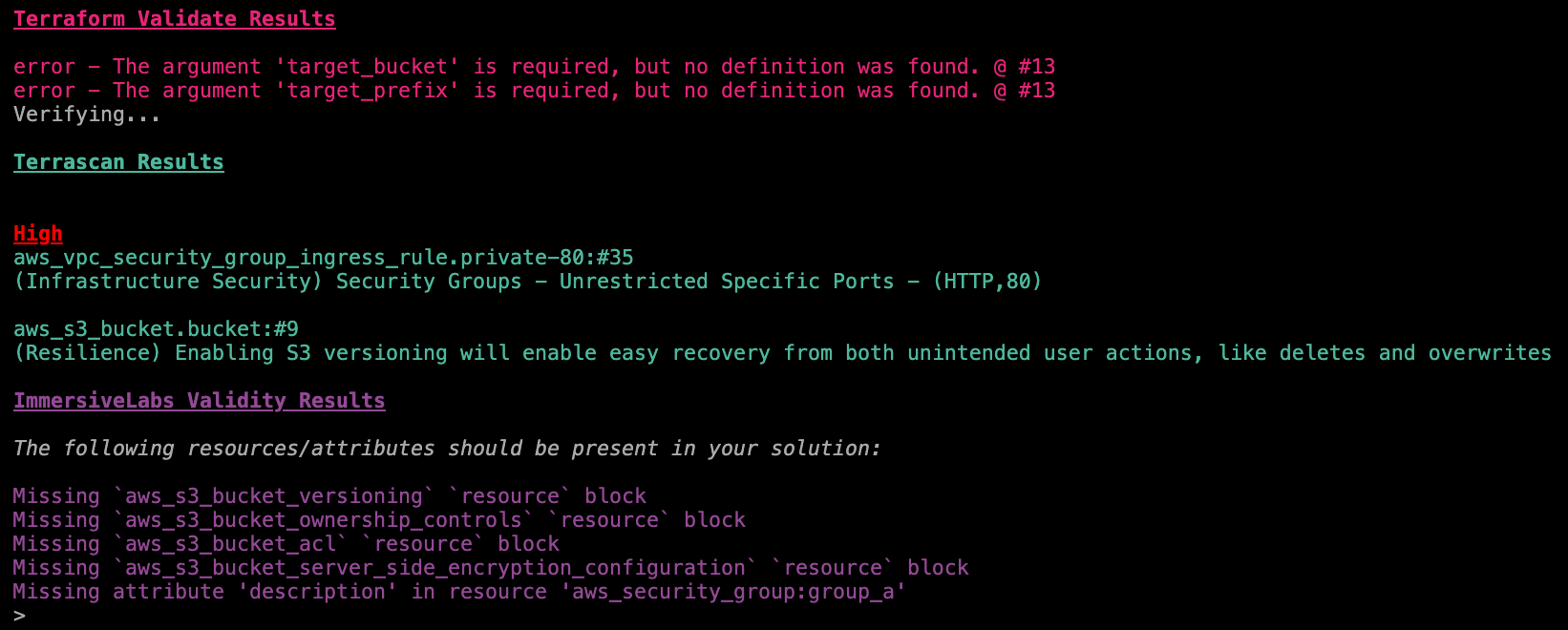
In summary:
- Run
terraform validateto ensure that declarations are not missing arguments - Use Terrascan to identify potential security issues and syntax errors
I feel this episode was slightly easier and definitely had less points to address.
Episode 3
This episode touches on the Aurora and Relational Database Services (RDS) in AWS. The brief covers the basics of the services and what to look out for in the lab. The goal is to correct the errors and update the resources to securely deploy infrastructure associated with the AWS Aurora service for relational databases (DBs).
This lab has a high and medium alert reported in Terrascan:
- High
aws_rds_cluster.aurora:#36 - Medium
aws_rds_cluster_instance.aurora:#49
Episode 4 - the finale
We reach the final episode which brings some more general security fundamentals and enabling detailed monitoring. Here we learn about how we restrict AWS VPC traffic to EC2 instances by using security groups and custom rules. EC2’s instance metadata service (IMDS) can be used to retrieve metadata about running EC2 instances from within the instance.
This allows applications running within the instance to access temporary, rotated credentials, avoiding the need for developers to hardcode credentials. However, this metadata should not be available from outside the instance. IMDSv2 ensures that every request to the service is protected by session authentication where session tokens, unusable from outside the instance, are used to create temporary passwords for requests to the metadata service.
I found this lab slightly more tricky as it was dealing with areas of AWS and resources, data blocks and configuration I'm less familiar with. However the terminal response of Terrascan made the experience fairly straight forward and that paired with using the excellent documentation offered made the Lab enjoyable, informative and filled in some blanks.